55-Inch Angled Transparent OLED Touch Screen
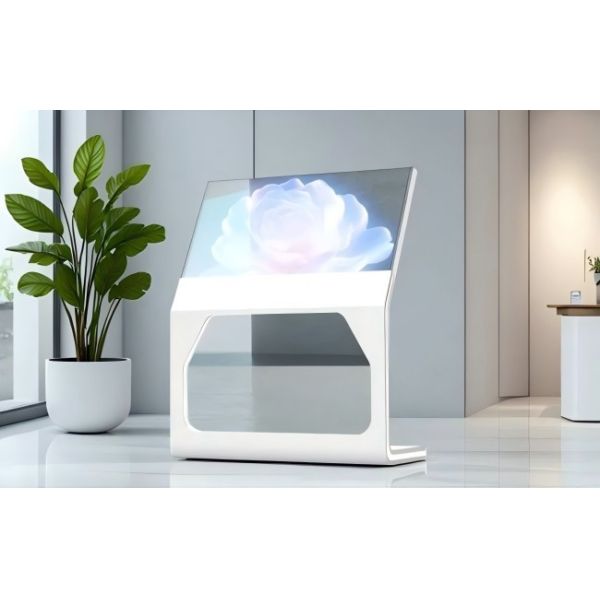
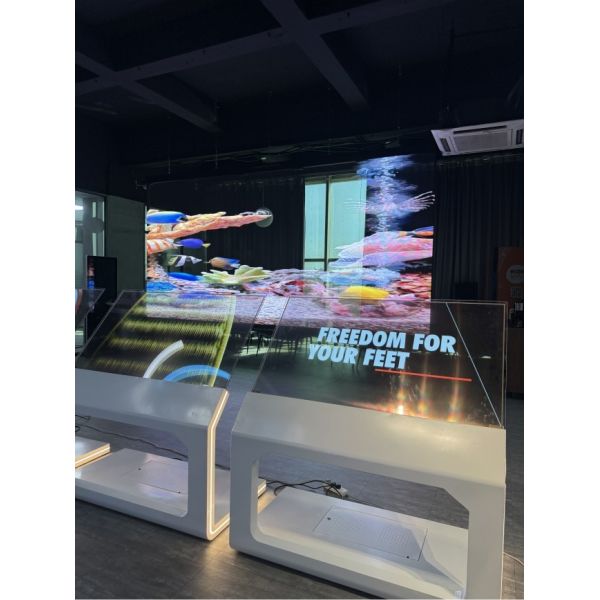
The 55-Inch Angled Transparent OLED Touch Screen creates a close-range interactive surface for product discovery, guided demonstrations, and commercial information. Its angled presentation can support a more natural relationship between the visitor, touch interface, and physical product behind or around the display.
Designed for retail showrooms, exhibition fixtures, museums, product demonstration tables, consultation areas, and branded commercial spaces, the screen allows digital labels, animations, comparisons, and controls to appear without completely hiding the environment behind it.
The installation angle should be selected according to the visitor task—not treated as a purely visual design choice.
Why Use an Angled Touch Display?
A vertical screen works well for viewing from a distance, but repeated close-range touch can require visitors to hold their arms forward. A more angled surface may support shorter reach and a familiar table-like interaction.
An angled transparent OLED display can be useful when visitors need to:
- Explore product features
- Compare configurations
- Follow a guided demonstration
- Select information
- View technical diagrams
- Browse a collection
- Examine a model or object
- Use the screen during a sales consultation
The correct angle depends on screen height, visitor position, viewing distance, fixture depth, and accessibility requirements.
Design from the User’s Standing Position
The project team should begin with a side-view drawing that shows the visitor, panel, supporting structure, and physical product.
The drawing should identify:
- Screen angle
- Top and bottom height
- Comfortable touch distance
- Visitor eye level
- Reach to important controls
- Product position
- Controller location
- Fixture depth
- Wheelchair approach
- Staff demonstration position
This makes it easier to evaluate comfort before the fixture is manufactured.
| 55-Inch Transparent OLED Display (Reclined Model) |
| LCD Panel Parameters |
| Screen Size |
55 inch |
| Panel type |
OLED |
| transmittance |
43% |
| Max Resolution |
1920x1080(FHD) |
| Aspect Ratio |
16:9 |
| Brightness |
200-600cd/㎡ |
| Contrast Ratio |
200000:1 |
| Viewing angle(up/down/left/right) |
R/L 120(min) U/D 120(min) |
|
| Response Time |
0.1ms(Gray To Gray) |
| Display color |
10bit(R),1.07 billon colors |
|
| Onboard interface |
| port |
HDMI IN*1, DP IN*1, RJ45(RS232) IN*1, RJ45(RS232) OUT*1,USB*1 |
|
| Touch Method |
| Capacitive Touch screen(Optional) |
Default 10 points Capacitive Touch |
| Power Specifications |
| Power supply |
100-240V~, 50/60Hz |
|
| Total System Power Consumption |
≈85W System Not Included |
|
| Machine Operating Parameters |
| running time |
7*12h |
| Screen life |
30000h |
| Operating temperature |
0℃~40℃ |
| working humidity |
20%~80% |
| structure |
| Material |
Aluminum+Tempered Glass+Metal |
| external dimensions |
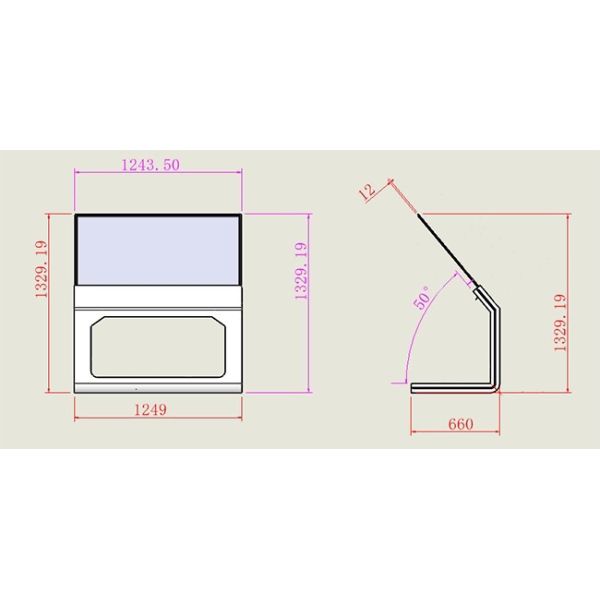
1249*1329.19*660mm Refer to the structural dimension drawings. |
| Package size |
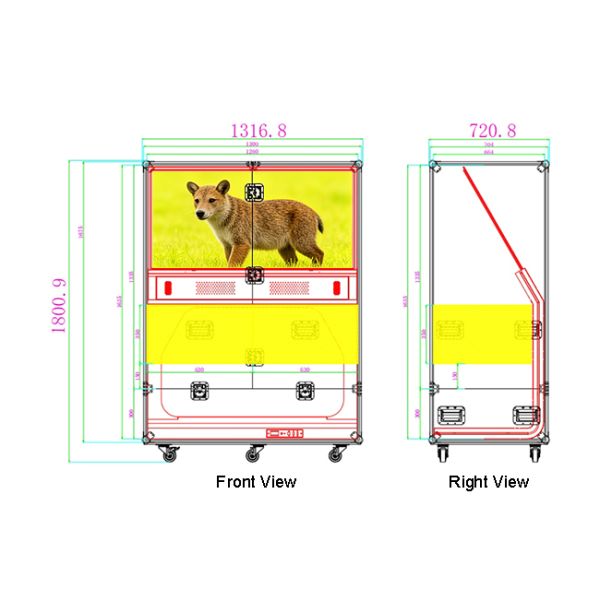
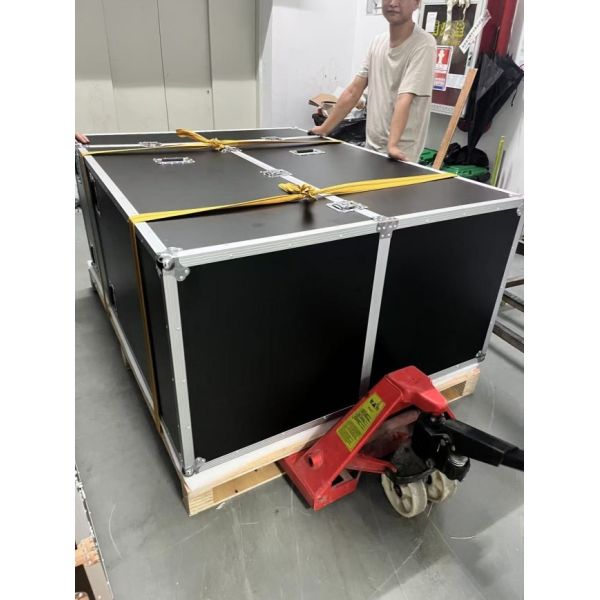
Air box 1800.9*1316.8*720.8MM |
|
| Installation Method |
Base Installation |
| Net weight |
65KG/160KG |
| Accessories |
| Power Cord,Remote Control |
| other |
| After-Sales Service |
1-Year Warranty |
Divide the Screen by Reach
Not every part of a 55-inch screen is equally easy to touch when it is installed at an angle. The interface should reflect the physical reach pattern.
Primary Control Zone
Place the most frequently used buttons in the easiest central or lower area. This may include product selection, next, back, and home controls.
Secondary Control Zone
Use the surrounding area for less frequent options, filters, language controls, or additional navigation.
Viewing Zone
Reserve harder-to-reach areas for titles, large visuals, videos, diagrams, or information that does not require direct touch.
This approach reduces unnecessary stretching and makes the experience more comfortable.
Place the Product Within the Sightline
The transparent panel creates value when digital content and a real object can be viewed together. The product may sit behind the screen, beneath part of the fixture, or within a related display zone.
Content can be used to:
- Label visible components
- Highlight product details
- Explain materials
- Show alternative options
- Present internal structures
- Compare models
- Trigger demonstration media
- Connect the product with a brand story
The interface should not cover the most important physical details. Open transparent areas should remain around the product.
Control Reflections Through Angle and Lighting
An angled glass surface may reflect ceiling lights, windows, visitors, or nearby displays differently from a vertical panel. Reflection testing should therefore be part of the fixture design.
Review the screen under:
- Normal store lighting
- Exhibition spotlights
- Bright entrances
- Overhead fixtures
- Different visitor heights
- Front and side viewing positions
- Day and evening conditions
If reflections reduce readability, adjust the screen angle, lighting direction, fixture position, content contrast, or background.
The final angle should balance touch comfort and visual clarity.
Design a Hands-On Discovery Journey
The interface should guide visitors through a short sequence.
A practical flow may include:
- Touch to begin
- Select a product or topic
- Explore one key feature
- View a comparison or demonstration
- Choose a follow-up action
- Return to the home screen
Use large buttons, short labels, immediate feedback, and shallow menus. Avoid placing several small controls close together, especially near screen edges.
The application should reset automatically after inactivity.
If you would like to get the specification about above product, or you hope to discuss your requirements or need any additional information on our this product , then please do not hesitate to send us a inquiry and contact our sales team now.


